

How to Write App Store Listings That Drive Downloads
Most app store listings bleed downloads silently. The page exists. Traffic arrives. Nobody converts. Writing a listing that actually moves people from browse to install is a discipline — part keyword science, part direct-response copy. This guide gives you the exact framework to build a listing that earns its place in search results and turns views into installs.

Understanding the Basics of App Store Optimization (ASO)
App Store Optimization is the process of positioning your app to rank higher in store search results. Higher rank means more organic traffic to your listing page. More traffic, properly converted, means more installs. The operators who win at this treat ASO as a system — not a one-time task.
Key Elements of ASO
- App Title: The first thing a user reads. Make it clear, specific, and built around your primary keyword.
- Keywords: Choose terms that describe exactly what your app does and what users are searching for.
- App Description: Your pitch. State what the app does, why it matters, and what makes it different.
- Visuals: Screenshots and video previews should demonstrate real functionality, not just aesthetics.

Crafting a Compelling App Title
Your title is your first impression and your primary keyword placement. It needs to be descriptive and tight. Both Apple and Google enforce character limits, so every word has to pull weight. Vague titles get skipped. Specific titles get tapped.
Example: The Power of a Strong Title
Look at “Calm: Sleep & Meditation.” In five words, it tells you exactly what it does and targets the keyword most likely typed by its audience. That is not an accident. That is deliberate positioning.
Optimizing Your App Description
Your description is where browsers become installers — or leave. The first two lines appear before the “Read More” cutoff. Those lines carry the most weight. Treat them like a headline. Everything after supports the decision already forming in the user’s mind.
Step-by-Step Guide to Writing Descriptions
- Lead with the Benefits: Open with what the user gains, not what the app contains.
- Highlight Key Features: Use bullet points. Make it scannable. Nobody reads walls of text.
- Include Social Proof: Awards, press mentions, and user numbers build credibility fast.
- Close with a Direct Call to Action: Tell users exactly what to do next.
Visuals: Screenshots and Videos
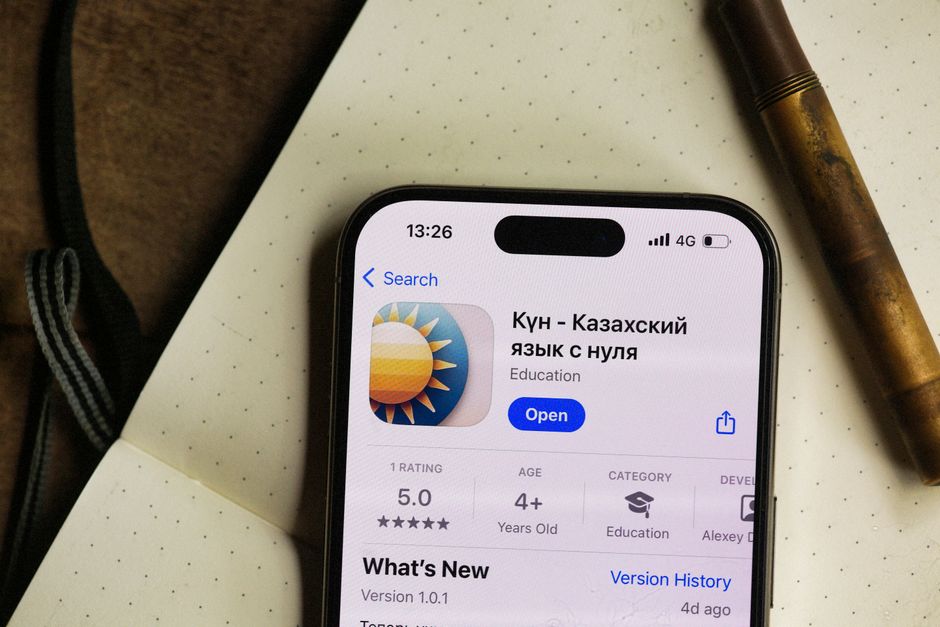
Visuals do the selling your words set up. They need to show the app working — real screens, real outcomes. A short video preview can dramatically lift your conversion rate. Do not treat screenshots as an afterthought. They are often the deciding factor.
Best Practices for Visuals
- Use High-Resolution Images: Blurry screenshots signal a low-quality product before the user even reads a word.
- Showcase Key Features: Show what makes your app worth installing over the alternatives.
- Include a Video Preview: A focused, well-edited preview consistently outperforms static screenshots alone.
Tools and Resources
The right tools compress your research time and sharpen your decisions. Here are three worth knowing:
- App Annie: Market data and competitive intelligence to benchmark your app’s performance.
- Sensor Tower: A full ASO suite covering keyword optimization and download analytics.
- ArcanoLabs: An AI-powered platform built to streamline content creation and keep your app store presence consistent and optimized at scale. Learn more here.
Leveraging User Reviews and Ratings
Reviews are public social proof. A strong rating signals trust before a user reads a single line of your description. A weak one kills conversions no matter how good your copy is. Manage this actively — it compounds over time.
Strategies for Managing Reviews
- Encourage Feedback: Prompt satisfied users inside the app at the right moment. Timing matters.
- Respond to Reviews: Address criticism directly and quickly. Silence reads as indifference.
- Implement Feedback: Act on recurring complaints. Users notice when their input shapes the product.
Improving Ratings
A high rating is not luck. It is the result of consistent execution. Here is how you protect and improve yours:
- Regular Updates: Frequent, meaningful updates show users the product is alive and improving.
- Bug Fixes: Unresolved bugs generate negative reviews at a predictable rate. Fix them fast.
- Feature Enhancements: Build what your users are asking for. Engagement follows relevance.
Localized App Store Listings
Localization is one of the most underused growth levers in the app store. Most operators publish in English and stop there. The silent operators who build in silence and earn in peace expand into new markets methodically, one localized listing at a time.
Key Components of Localization
- Translation: Translate your title, description, and keywords with cultural accuracy — not just literal word-for-word conversion.
- Localized Visuals: Adapt screenshots and video to reflect the context of each target market.
- Market Research: Understand what users in each region actually search for and respond to before you publish.
Benefits of Localization
- Increased Downloads: Users install apps in their native language at significantly higher rates.
- Enhanced User Engagement: A tailored experience drives retention, not just installs.
- Competitive Advantage: Most of your competitors have not done this. That is your opening.
FAQs About App Store Listings
What is the ideal length for an app description?
There is no universal rule, but 150 to 200 words is a reliable target. Front-load the critical information. Users rarely scroll past the fold.
How often should I update my app store listing?
Update whenever you ship significant changes or new features. Revisit your keywords and visuals regularly — relevance decays if you ignore it.
Can I change my app title after publishing?
Yes. But approach it carefully. Title changes affect brand recognition and search rankings simultaneously. Any update should stay consistent with your app’s core identity.
Key Performance Indicators for App Store Success
You cannot improve what you do not measure. These are the metrics that tell you whether your listing is actually working:
- Conversion Rate: The percentage of page visitors who install. This is your listing’s primary report card.
- Keyword Rankings: Track movement on your target terms. Rankings drive organic traffic volume.
- User Retention: Installs mean nothing if users leave after day one. Retention reflects real product value.
- Review Sentiment: Qualitative signal. Patterns in reviews tell you what to fix before the ratings drop.
Analyzing Competitor Listings
Your competitors have already run experiments you have not. Study the top-performing apps in your category with discipline. Look at how they structure descriptions, which features they lead with, and how their visuals are sequenced. You are not copying — you are identifying what the market responds to, then building something sharper. That is how you differentiate without guessing.
Next Steps
You now have the framework. Pull up your current listing and audit it against everything covered here. Identify the weakest element — title, description, visuals, or reviews — and fix that first. Then measure. Then iterate. App store optimization is not a launch task. It is an ongoing system. The operators who treat it that way are the ones who build compounding organic traffic while everyone else wonders why their downloads stalled.

Leave a Reply