


Effective Internal Linking Strategies for WordPress Blogs
A post pulling in five hundred visitors a month stays at five hundred unless you wire it to feed traffic to other posts that feed traffic back. That’s the real answer. Internal linking isn’t about scattering links across your pages — it’s a system where each post does work for the whole site, and the results compound over time.

Why Internal Links Are a Traffic Multiplier (Not Just SEO Hygiene)
Most people treat internal linking like a checklist item. The real answer is different: done with intention, it multiplies your owned traffic. One post’s audience feeds into the next, like tributaries filling a river. That’s not random linking — that’s a system.
Here’s a concrete receipt: a single well-placed link from a high-traffic post to a buried article can meaningfully shift where your visitors go next. It’s not theory. It’s a pattern you can measure in your analytics within weeks, and it compounds the longer you run it.
For more on how internal linking builds SEO over time, see our detailed guide here.
The Three Link Patterns That Actually Move Traffic
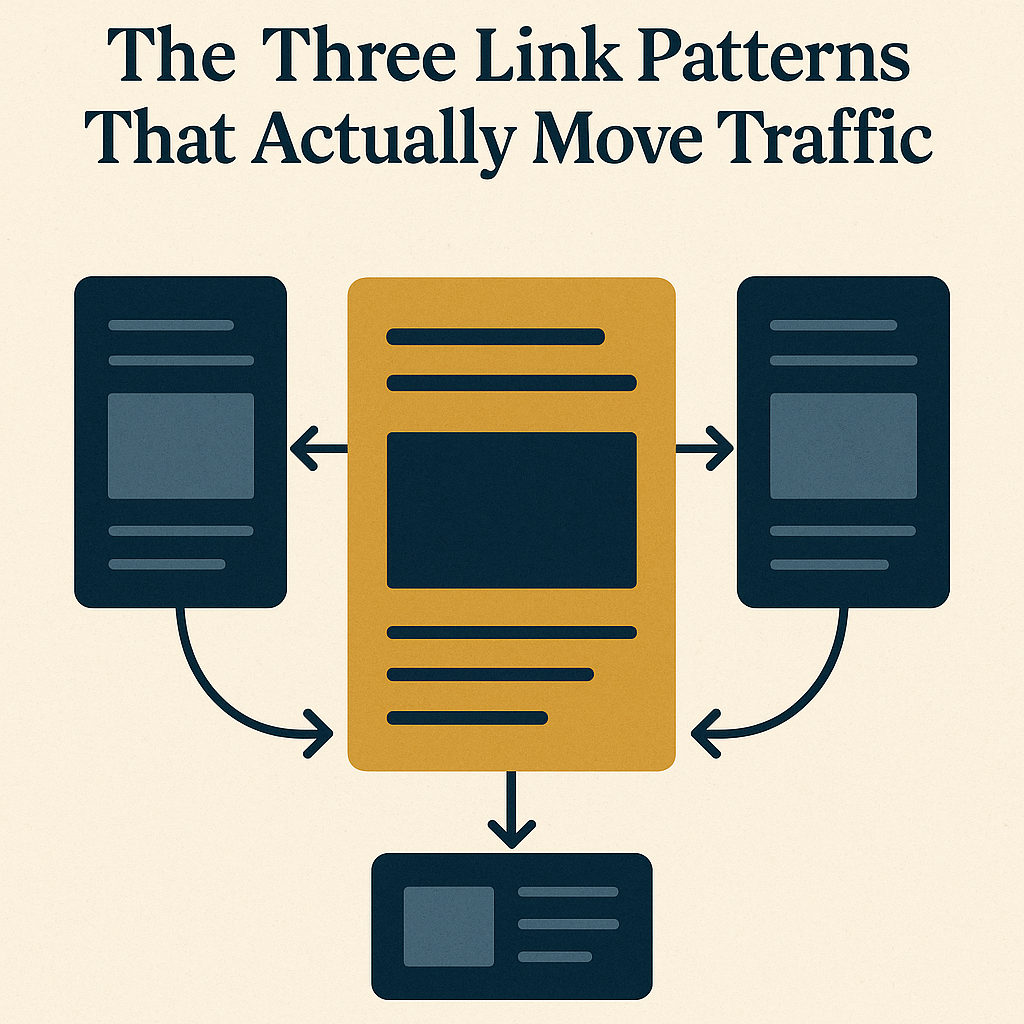
Three patterns move the needle on a WordPress site. No plugin required, no consultant needed — just structure.
- Pillar-to-Cluster Linking: Build your content around a central topic. The pillar post is the hub. Cluster posts cover the subtopics and link back to it. Traffic flows in both directions.
- Chronological Linking: Connect older posts to newer, more authoritative ones. Your older content stays relevant and picks up visibility it would otherwise lose.
- Contextual Linking Within Paragraphs: Drop links naturally inside the body copy, not just in sidebars. Readers follow in-text links at a higher rate, and that keeps them on your site longer.
How to Find Your Linking Opportunities (Without Guessing)
Stop guessing which posts to connect. Use WordPress search and your analytics to find the posts that deserve more internal traffic. The question to ask: which of your posts rank for questions that your other posts already answer?
Run this audit checklist:
- Identify old posts that are traffic sinks — pages getting visits but sending readers nowhere else.
- Find gaps in your site’s traffic flow using session data, not instinct.
- Use Google Analytics to spot which posts need internal support to hold their rankings.
Setting Up Your WordPress Site to Reward Good Linking
Your site’s setup either supports the system or fights it. Here’s what to check:
- URL Structure: Clean, descriptive URLs make internal links easier to place and easier for readers to trust. If yours are messy, fix them before you build the linking layer on top.
- Plugin Recommendations: Use plugins that surface linking opportunities without adding load time. See these resources for options worth testing.
- Categories and Tags: Organize them so links feel like a natural path through your content, not a detour.
For more on building owned traffic through your WordPress setup, see our guide on boosting traffic with WordPress.
The Linking System That Compounds While You Sleep
Here’s the template. Run it consistently and the receipts show up in your analytics month after month:
- Link Every New Post Before Publishing: Connect each new post to three to five existing posts. Every publish strengthens the whole network.
- Monthly Audits: Go back into older posts and add new links as your site grows. Fresh connections keep older content working while you sleep.
- Measure the Compound Effect: Track average session duration and page views per session. Those two numbers tell you whether the system is doing its job.
For a closer look at turning your blog into a self-sustaining content system, read our article here.
When you implement these patterns, you stop publishing isolated posts and start building a network where every page supports the others. That’s how you own your traffic — and how you build a system that keeps working around the clock.
As you tighten your workflow, a few tools make the day easier: the Keychron K2 for a clean typing setup, and the Sony WH-1000XM5 for blocking out the noise while you work.
Leveraging Content Silos for Enhanced Internal Linking

Content silos take the system a step further. You group related posts together so the internal linking structure reinforces itself — better for readers navigating your site, better for search engines reading it.
Benefits of Content Silos
- Improved Navigation: Readers find related content without hunting for it. They stay longer, and session duration climbs.
- SEO Boost: Search engines read the hierarchy clearly. That clarity translates into stronger rankings for the topics you own.
- Focused Content Strategy: Organizing into silos shows you exactly where the gaps are — and where your next post should go.
Creating a Content Silo Structure
Follow these steps to put it in place:
- Define Core Topics: Pick the main subjects your blog covers. These become the pillars each silo is built around.
- Group Related Content: Sort existing posts under those core topics. Keep each silo tight and focused.
- Link Strategically: Inside each silo, every post connects to other relevant posts. The reader always has a clear next step.
- Use Visual Aids: Sidebar menus and breadcrumb trails reinforce the structure without requiring the reader to think about it.
Utilizing Anchor Text for Maximum Impact
The words you use as anchor text shape how both readers and search engines understand the page you’re linking to. Get this right and the whole system runs cleaner.
Best Practices for Anchor Text
- Be Descriptive: The anchor text should tell the reader exactly what they’re about to read. No surprises.
- Vary Your Phrases: Don’t repeat the same anchor text across every link. Mix in synonyms and related phrases to cover more semantic ground.
- Keep It Natural: If the link reads awkwardly inside the sentence, rewrite the sentence. Forced links lose clicks.
Common Anchor Text Mistakes to Avoid
- Generic Phrases: “Click here” and “read more” tell the reader nothing. Skip them.
- Over-Optimization: Stuffing exact-match keywords into every anchor text signals manipulation. Vary it.
- Ignoring Context: The sentences around your anchor text matter. Make sure they support the relevance of the link.
Case Study: Successful Internal Linking in Action
Here’s a real example of what this system looks like when it runs. A WordPress blog in the sustainable living space had solid content but weak engagement. Readers landed and left. The team rebuilt the internal linking structure from the ground up.
Background
The blog had plenty of posts but no connective tissue between them. Users weren’t moving through the site — they were bouncing. The receipts in the analytics made the problem obvious.
Strategy Implementation
- Pillar Posts: They built comprehensive pillar posts on topics like “Zero Waste Living” and “Renewable Energy,” then linked out to detailed subtopic posts from each one.
- Content Silos: Existing posts were reorganized into silos so navigation felt logical rather than accidental.
- Optimized Anchor Text: Every link got descriptive, varied anchor text — no generic phrases, no keyword stuffing.
Results
- Increased Page Views: Page views climbed 35% within three months. Readers were following the links instead of leaving.
- Improved Engagement: Average session duration rose 25%. The system was doing its job.
- SEO Benefits: Search rankings improved across several core topics as the internal link structure gave search engines a clearer picture of the site’s authority.
Those numbers aren’t a coincidence. They’re the receipts from a system that was built deliberately and then left to compound.
Advanced Techniques for Dynamic Internal Linking
Once the foundation is solid, you can layer in techniques that keep the system current as your content grows:
- Automated Link Suggestions: Plugins that analyze your content and surface internal link opportunities based on keyword relevance save you hours of manual auditing each month.
- Real-Time Content Updates: Scripts that refresh internal links when related posts are updated keep the whole network accurate without you touching every page by hand.
Disclosure: this article may contain affiliate links. If you buy through them, we may earn a small commission at no extra cost to you.



Leave a Reply